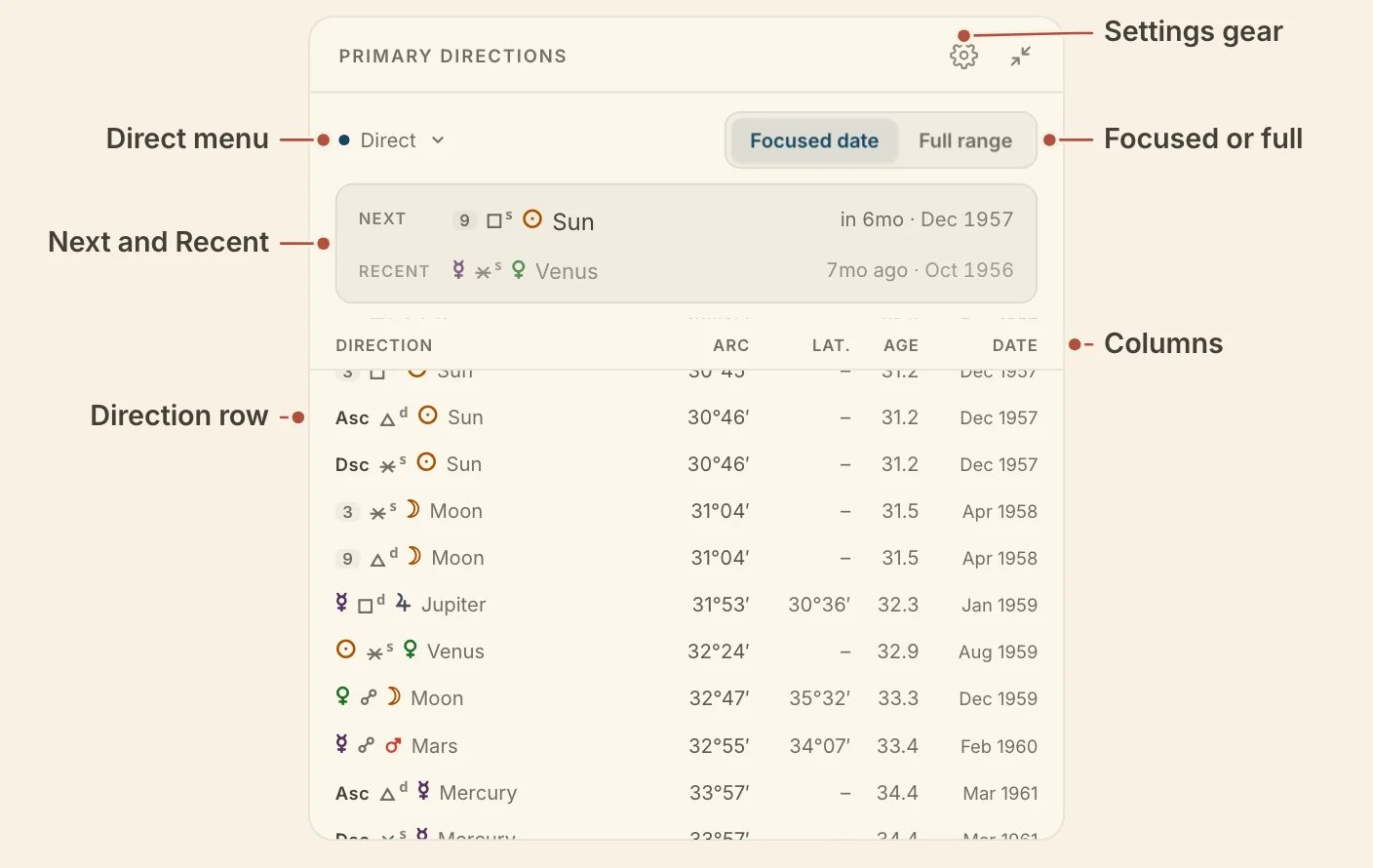
The Primary Directions card lists the chart's directions in the order they perfect, with the arc, age and date of each, so you can see which direction is due and step the chart to it.
Each direction on the Primary Directions card is one row, which you can open for its full details. A row reads significator, aspect, promissor. A planet significator shows as its glyph, an angle as Asc, MC, Dsc or IC, and an intermediate cusp as its house number in a small pill. A mark beside the aspect glyph says whether the ray is dexter or sinister, and "con" marks a converse row.
The latitude column gives the same direction's arc worked the other way. It is headed Lat. when the list is cast without latitude, and No lat. when it is cast with it. A dash means the two arcs agree.
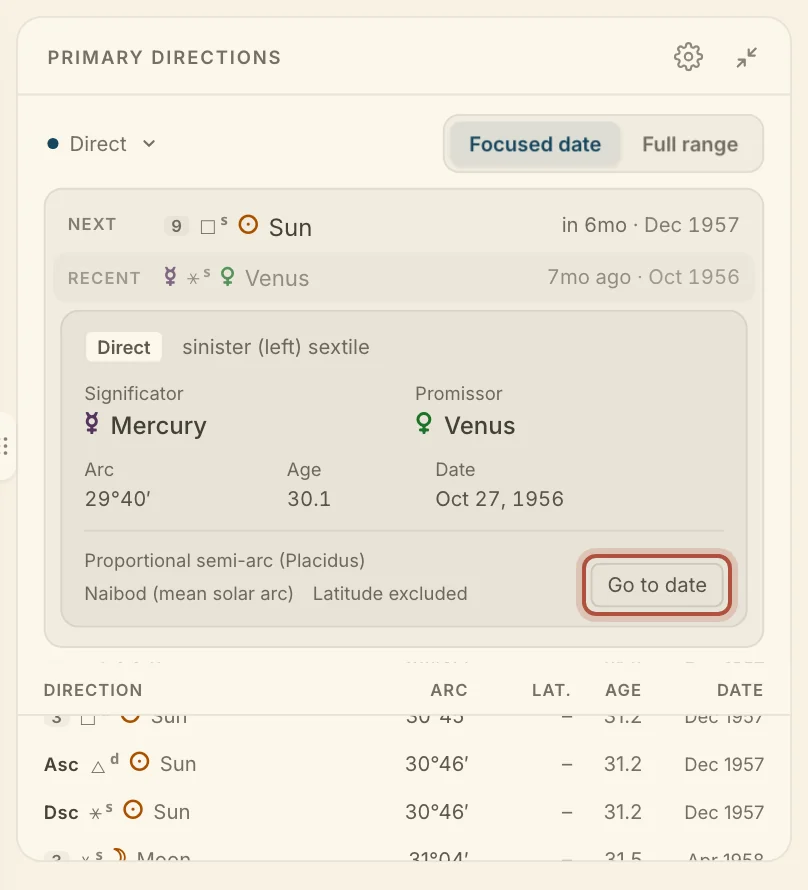
Click a row to open its details. They give the significator, promissor, arc, age and date, with the method and time key. Go to date moves the chart's moment to the perfection.
One direction opened, with Go to date
Minimized, the card shows the two most recent directions and the next two, each with its age and how long ago or how soon.
The same list feeds the card's lane on the life timeline, its card on the Dashboard and its panel in the Armillary view of the Sphere, all cast with the settings below. Primary directions needs a birth time and a birthplace.
Choosing which primary directions the card lists
The Primary Directions card can list only the directions near the chart's moment, or every direction it has cast. The switch in the card's toolbar picks between them, Focused date or Full range.
Focused date, the default, puts the next direction to perfect at the top, labelled Next, with the most recent under it as Recent. Below, the list runs around the chart's moment, with a Now line at the moment's age. The list follows the moment as you move it.
Full range lists every direction the card has cast, in date order, with a divider for each year. The direction nearest the chart's moment is highlighted. Click the Direction, Arc or Age heading to sort by it, again to reverse it, and a third time to go back to date order.
The button at the left of the toolbar reads Direct, Converse, or Direct & Converse. Direct is the default. The choice applies to every chart, and the timeline lane follows it.
Primary directions settings
The Primary Directions settings decide how the card casts, from the method and time key to the aspects and significators it uses. Click the gear in the card's header to open them.
Method picks Proportional semi-arc (Placidus), the default, or Circle of position (Regiomontanus).
Time key follows the account-wide key in Settings by default, or holds the card to Ptolemy, Naibod, Cardan, True solar arc in longitude or Placidus.
Aspects has a toggle for each ray, conjunction, sextile, square, trine and opposition, all on by default.
Significators picks Lights + angles, All bodies (the seven planets and the four angles), or Bodies + cusps (adding the eight intermediate cusps), the default.
With latitude, under Options, directs bodies from their place off the ecliptic. It is off by default.