
In this section (22)
- Profections
- Zodiacal releasing
- Firdaria
- Decennials
- Circumambulation
- Primary directions
- Speculum
- Ascensional times
- Progressions
- Planetary hours
- Lunations
- Aspects
- Declination
- Midpoints
- Dignities and triplicity lords
- Lots
- Fixed stars
- Minor planets
- Chart family
- Elements and Quadruplicity
- Temperament
- Moon
Lunations
The Lunations card lists the New and Full Moons, or the eclipses alone, around today or around the birth, so you can step through them on the wheel.
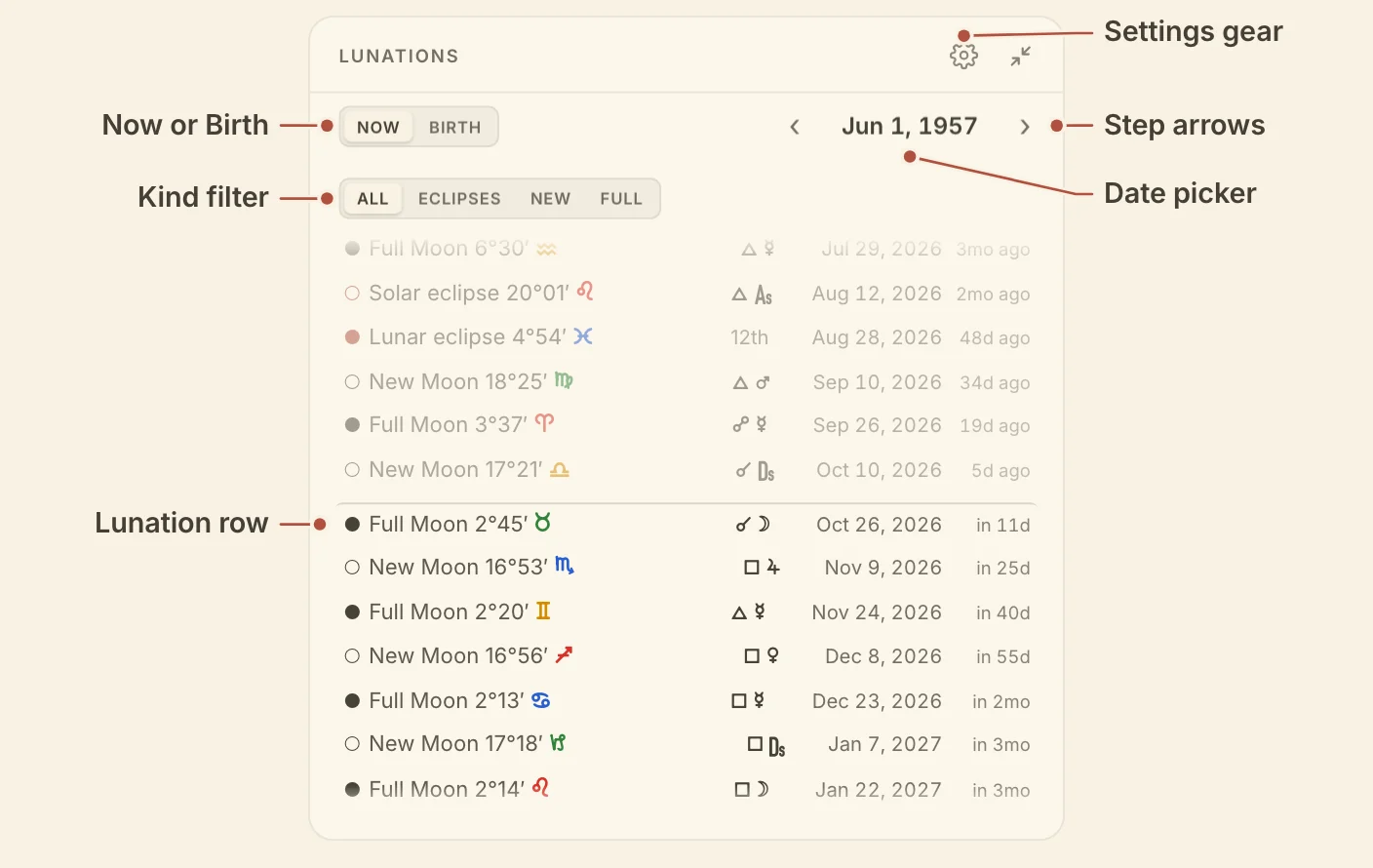
Reading the Lunations card
The Lunations card is a scrolling list, one lunation to a row, that you can narrow by kind. Each row opens with ○ for a New Moon or a solar eclipse and ● for a Full Moon or a lunar eclipse, then gives the kind, the Moon's degree and sign, the date, and how far it falls from today or the birth.
On a chart, a column before the date shows the natal point the lunation aspects, or the house it falls in when it aspects nothing. On the sky tab the list runs around today and leaves that column out.
All, Eclipses, New and Full above the list choose which lunations it holds. Past rows are dimmed, and a hairline marks today or the birth. Scroll to either end and more load.
The card has one setting, Each side, behind the gear. It sets how many lunations the list opens with on each side of today or the birth, 16 by default.
Stepping a lunation onto the wheel
Click a row on the Lunations card to put that lunation on the wheel. The timeline moves to its moment and the transit ring turns on if it was off.
‹ and › in the card's header step to the previous or next lunation of the kind you chose, so with Eclipses chosen they walk eclipse to eclipse. Click the date between them to pick any day from the calendar, and the list gathers around it.
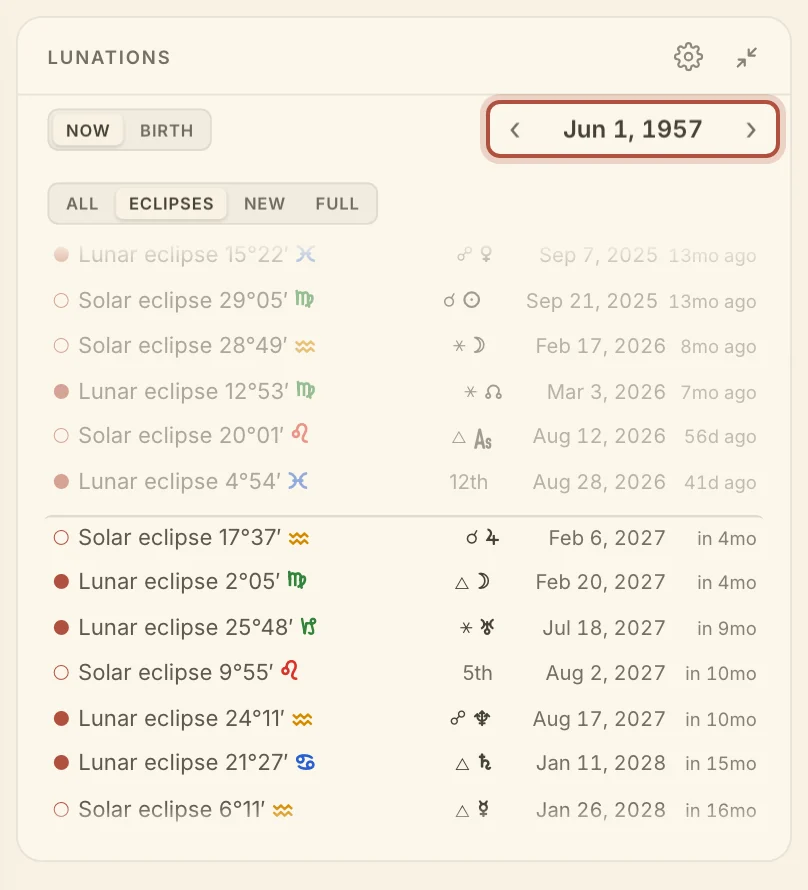
On a chart, Now and Birth in the header choose what the list centres on. Click either one again to bring the wheel and the list back there. On the sky tab, a Now button after › does the same.
Didn't answer it? Write to support@arcusastrology.com.