
In this section (22)
- Profections
- Zodiacal releasing
- Firdaria
- Decennials
- Circumambulation
- Primary directions
- Speculum
- Ascensional times
- Progressions
- Planetary hours
- Lunations
- Aspects
- Declination
- Midpoints
- Dignities and triplicity lords
- Lots
- Fixed stars
- Minor planets
- Chart family
- Elements and Quadruplicity
- Temperament
- Moon
Aspects
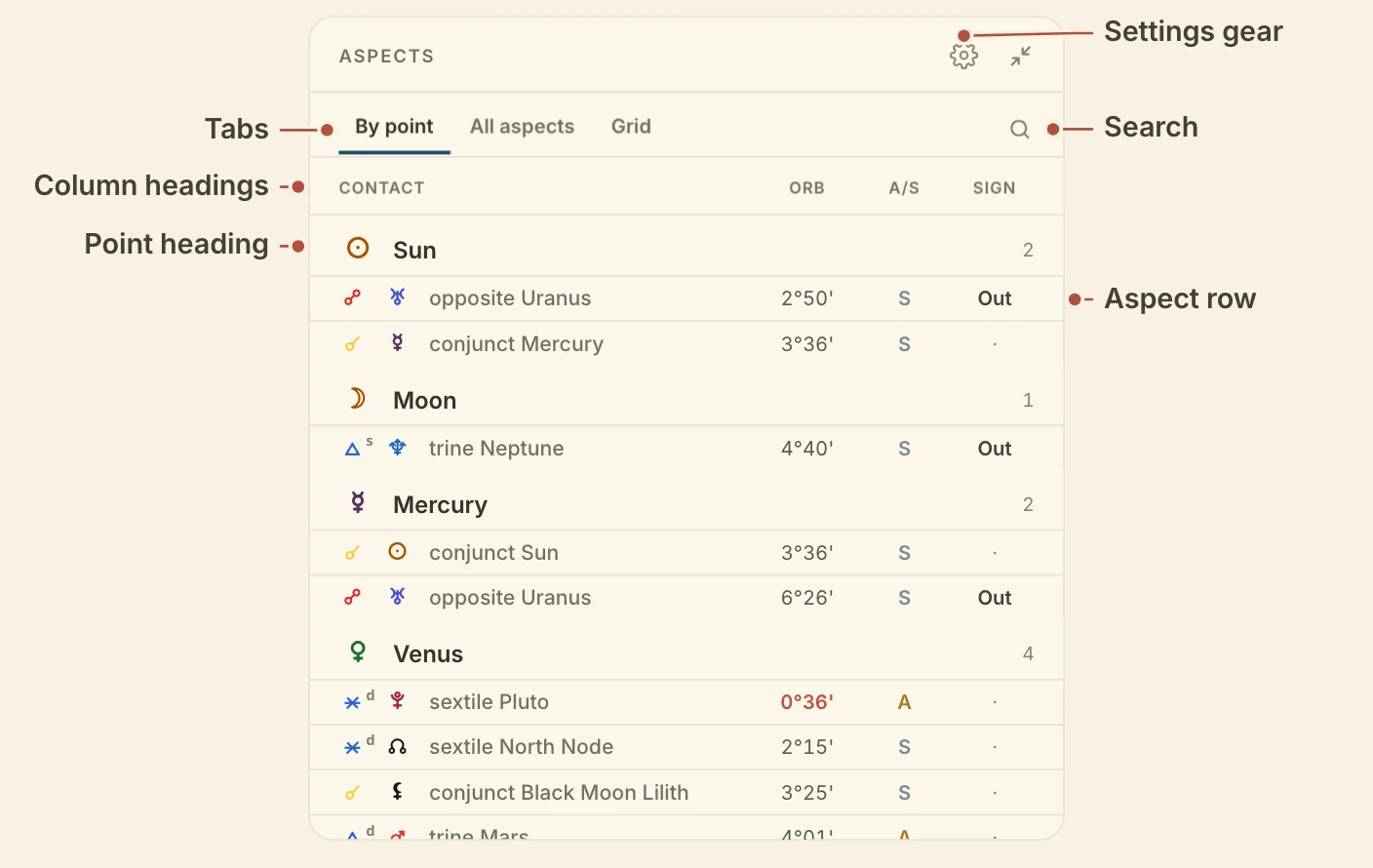
The Aspects card lists the chart's aspects, or sets them out as a grid, from the same points and orbs the wheel draws, so you can read a contact in full when the chords on the wheel are not enough.
Reading the Aspects card
The Aspects card sets out the same aspects in three tabs, so you can read them point by point, pair by pair, or as a grid.
- By point files every aspect under both of its bodies. The first column, Contact, names the aspect and the body it reaches.
- All aspects lists each pair once, under Pair.
- Grid is a square of the bodies and the four angles.
Sign shows a dot when the aspect also holds by whole sign, and Out when it is out of sign. Reception reads Mutual, Receives or Received, from the side of the point you are reading. A partile orb is marked on the number.
Hover a row and its chord lights on the wheel. Click the row to isolate the chord. Cells in the grid work the same way.
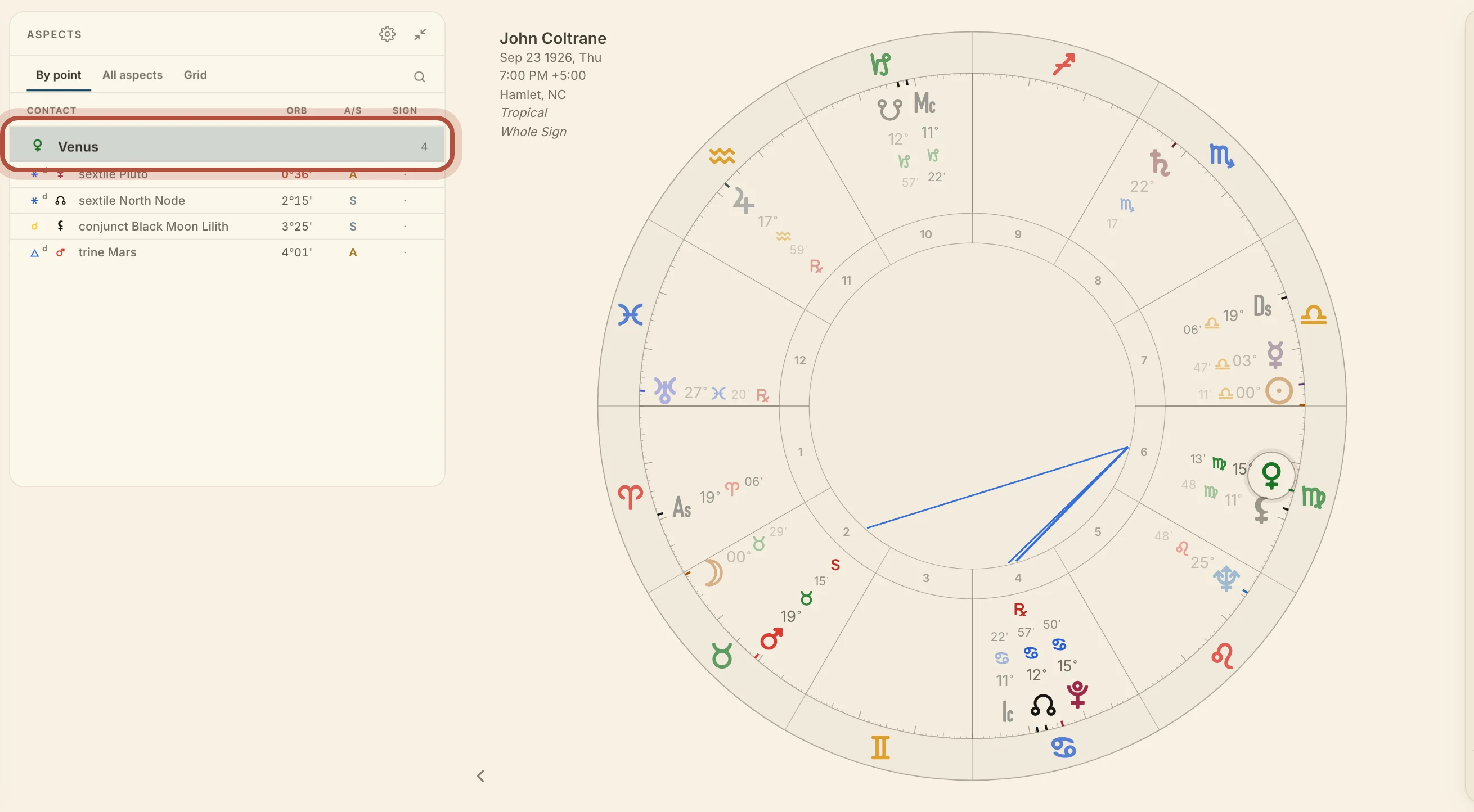
Click a point's heading in By point to focus that point on the wheel, and click it again to let go. Clicking a point on the wheel narrows the card the same way. In All aspects the focused point shows as a heading above the list, and clicking it clears the focus.
Click a column heading to sort by it, ascending, then descending, then back to the card's own order. Drag a heading sideways to move the column.
Aspects settings
The Aspects card has its own settings for the columns it shows and the aspect set it reads. Click the gear on the card to open them.
- Columns has three presets, Classic (the default), Positions and Traditional. Under them, turn single columns on and off.
- Sinister and dexter marks each ray with the side it is thrown from. It is on by default.
- Aspect set picks which aspects the card reads, from the same list as the wheel's menu, so a choice here changes the wheel too.
Which points aspect, and the orbs, are account settings, under aspect settings in Settings.
Didn't answer it? Write to support@arcusastrology.com.