
Export from Astro Gold on Mac
Astro Gold's chart files end in .SFcht, and one file usually holds a whole set of charts rather than a single one. Drop the file straight into Arcus.
They sit in one of two places, depending on how Astro Gold is set up.
On the Mac, in your Documents folder, in a folder called Astro Gold. This is where they are by default.
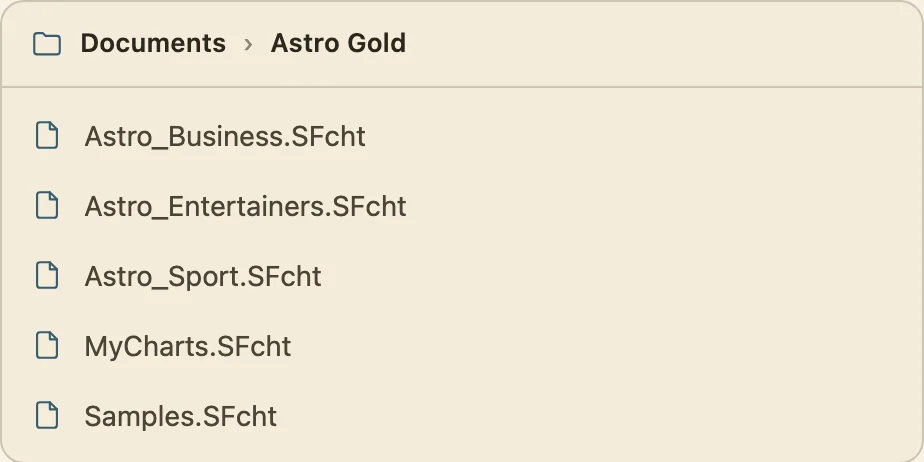
In iCloud, in iCloud Drive, again in a folder called Astro Gold. This is where they are if Astro Gold is also on your iPhone or iPad, since iCloud is how the two keep in step.
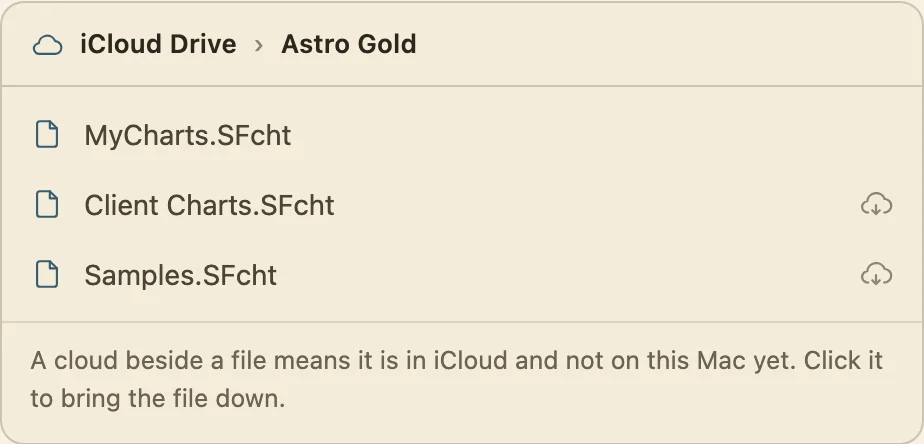
If you are not sure which, look in both. The iCloud folder is the one that usually holds the most, because it is the one every device has been writing to.
A file kept in iCloud may not be on this Mac yet. If a small cloud shows beside its name in Finder, the file is still in iCloud and only its name is here. Click the cloud to bring it down, wait for it to finish, and then pick it.
Didn't answer it? Write to support@arcusastrology.com.