
In this section (4)
Meanings
Looking up a meaning
Meanings opens the Resource catalogue, the reference library for planets, minor planets, fixed stars, houses, lunar mansions and nakshatras, so you can check a star or an asteroid while you read a chart.
Click Meanings in the top bar. The account menu at the top right and ⌘K also have Resource catalogue.
Tap Tools in the bar along the bottom, then Meanings.
The catalogue is split into Bodies and Divisions. Bodies holds Planets, Minor planets and Fixed stars. Divisions holds Houses, Lunar mansions and Nakshatras. Pick one, then a category under it. Type in the search box to narrow the list, and minor planets can be found by name, number or theme. Click a row to read its entry.
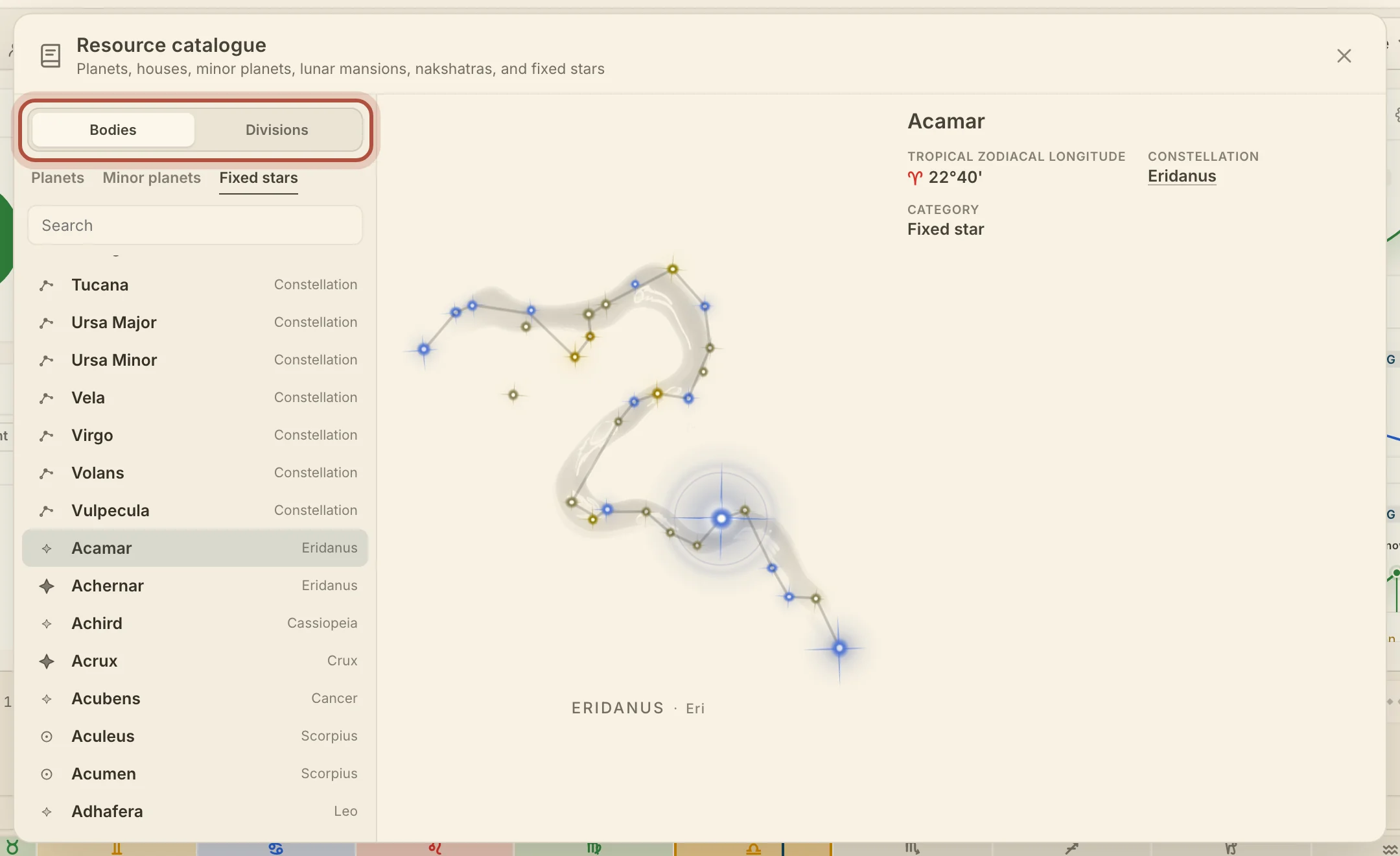
On a phone, the entry fills the screen. Catalogue at the top left takes you back to the list where you left it.
You can also open an entry straight from a chart. Hover a planet, fixed star or minor planet on the wheel, then click Meanings on its card. Click a lunar mansion, nakshatra or constellation on its ring around the wheel. In the Sphere, click a star, then the ⓘ beside its name. In the Fixed stars card, open a star and click its name, and in the Minor planets card, click the ⓘ beside a minor planet's name.
Entries in the Resource catalogue
Each entry gives what the catalogue holds on that body or division, and the planets and minor planets add where they are in the sky at the moment on screen.
- Planets give the signification and nature, and In the sky shows the Current position, Current speed, Pace and next Ingress.
- Minor planets give the signification, Faces and Story, and In the sky adds the date each was Discovered.
- Fixed stars give the constellation, the tropical longitude, the signification and nature. Click the constellation for its own page, with its figure and its stars.
- Lunar mansions give the span, what each is named for, and its stars.
- Nakshatras give the sidereal and tropical spans, what each is named for, and its ruler.
- Houses give the topics of each house.
Lunar mansions and nakshatras follow the zodiac set for their rings in Settings.
Didn't answer it? Write to support@arcusastrology.com.